

A DR Checker alternative in 90 days: from one text box to a DR pipeline
DR Checker is one box and one button that returns Ahrefs Domain Rating for free. This plan shows how a team can add a keyless DR endpoint, bulk lookups and referrer data around it, and when to stop.
The brand's own domain makes a tidy test case. In our index dr-checker.com has DR 4, 1 referring domain and 1 backlink, and that link is dofollow. The single referrer is socialbu.com (donor DR 36), first and last seen 2026-09-06, and the single anchor is "domain rating". In other words, the parent company links to its side project, and nothing else has shown up in our index yet.
That is not a verdict on the tool. freeserp first saw the site on 2026-08-05 and our graph saw the link a month later, which is the lag you should expect from our web index of 181,132,097 domains and 2,774,625,913 domain-to-domain links. The homepage carries Product Hunt and LaunchLlama badges that do not show up as referring domains in our data yet. By the site's own table, a DR of 4 would land in the "0 to 29" band, but that band describes Ahrefs DR and our number is a different metric, so read it as a snapshot of our graph only.
DR Checker at a glance
- What it is
- A free web tool that returns Ahrefs Domain Rating, plus bulk DR, an authority-style score, domain age and a SERP simulator.
- Run by
- SocialBu, per its About page.
- Price
- Free, no sign-up; no paid plan found (the /pricing page returns 404).
- Limits published
- Bulk DR up to 100 domains; authority checker up to 1000; domain age form max 50.
- Data source
- Ahrefs APIv3 through the site's own server-side key; authority score uses OpenPageRank data.
- Public API
- None found; the /api page returns 404.
- Founded
- Not published.
Day 0: what you are actually replacing
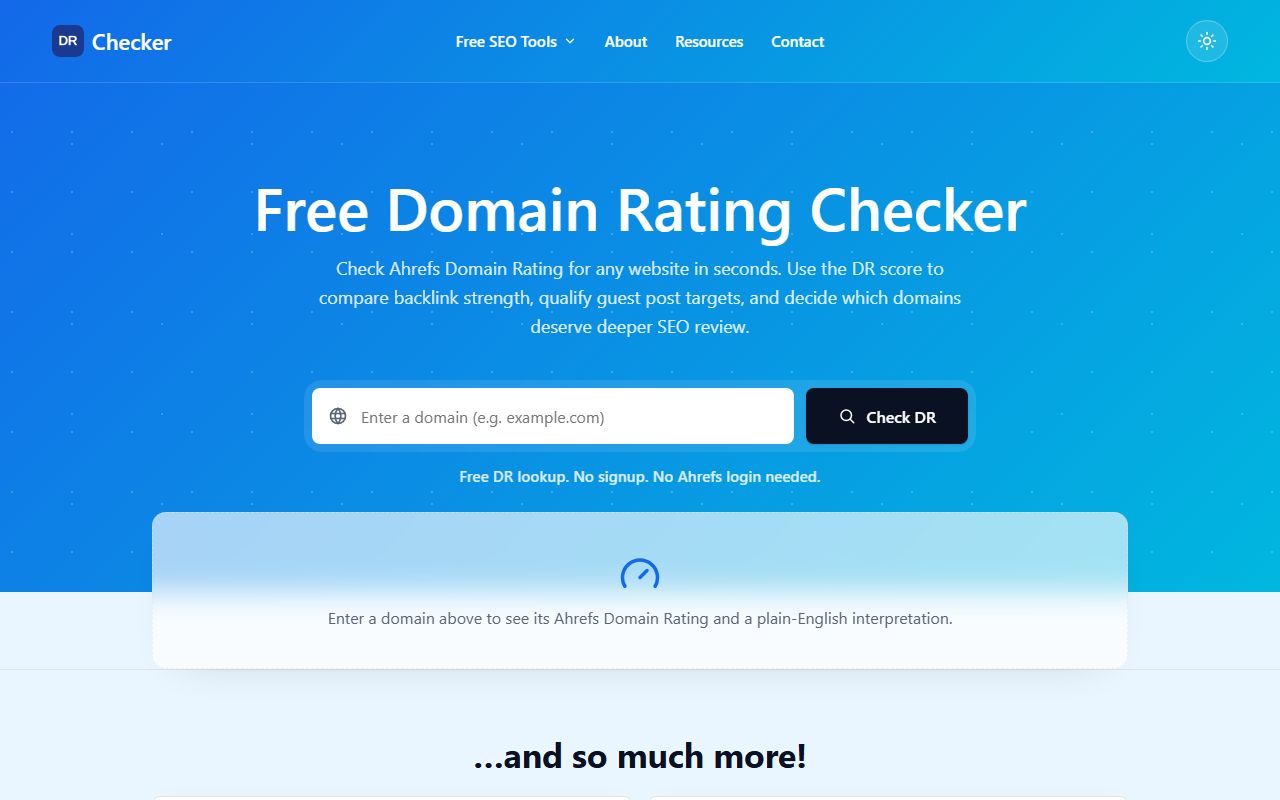
The first job is to be honest about the tool. DR Checker is one text box and one dark button. You type a domain, press "Check DR", and get a number on the 0 to 100 scale, a rating label and a plain-English reading. The page says the number is Ahrefs Domain Rating, fetched with the site's own server-side Ahrefs key, so you never need an Ahrefs login. That is the whole product for the DR lookup, and for a lot of people it is exactly enough.
So this plan is not "rip it out". It is a 90-day adoption plan for a hypothetical team that uses the form daily, has started to hit its edges, and wants a second source it can call from a script. Nothing below describes a real company. The team in the plan has three people, a spreadsheet of guest-post prospects and a habit of pasting domains into a browser tab.
Write down three things on day 0, before you touch any code:
- How many domains your team checks in a normal week. Count it; do not guess.
- Which decisions hang on the number. "Is this prospect above 30?" is a different need from "rank 400 domains by authority".
- Which number you actually trust. If a client report says "Ahrefs DR", then Ahrefs DR is what the client gets, and nothing in this plan changes that.
That last point shapes everything. Our Domain Rating is computed by us from referring-domain counts in our own graph. It is comparable in spirit to the metric DR Checker shows, not the same number. ahrefs.com itself shows DR 67 in our index; your Ahrefs-based tool will print its own figure. The plan treats our DR as a second opinion and a pipeline input, not a replacement for the number on the form.
Days 1 to 30: run both side by side
Month one is shadow mode. Keep using the form. Alongside it, call our free domain action, which needs no key and no sign-up:
GET https://apibacklinks.com/api.php?action=domain&q=example.com
Pick 50 domains from your real prospect list, not a tidy demo set. Run each through the form and through the endpoint, and put the two numbers in two columns. Do not average them. Look at the rank order instead: if the form puts A above B and our DR puts B above A, mark the row and look at why.
Expect some disagreement. Our index is built from our web link data: 181,132,097 domains and 2,774,625,913 domain-to-domain links across 13 crawls. That is a broad sample of the public web, but it is smaller and less fresh than a proprietary crawler, and it refreshes roughly monthly. A domain that went live last week may show nothing at all.
DR Checker's own domain is a good live example. freeserp first saw it on 2026-08-05. Our graph first saw a link to it on 2026-09-06, a month later. It sits at DR 4 in our index, with exactly one referring domain and one backlink. A tool that reports DR for a living has a thin profile in our graph, and the likeliest reason is that it is new. If your prospect list is full of month-old sites, month one will show you that lag in the data.
By day 30 you should have a short written note: where the two sources agree, where they split, and what kind of domain causes the split. The free explorer is useful here, because you can open any row of your sheet in the browser and read the full profile without writing code.
Days 31 to 60: move the lists, keep the form for spot checks
Month two is where the form starts to cost you time. DR Checker's bulk page takes up to 100 domains at once, cleans the list, removes duplicates and exports a CSV with the score, source, license and status. Its authority tool takes up to 1,000. Both are fine for a one-off. The friction shows up when the list is 3,000 domains, or when the same list needs refreshing every week.
Here is the swap. The bulk_dr action takes up to 2,000 domains in one request and returns DR and counts for each. compare puts up to 20 domains side by side. A script that splits a 3,000-row sheet into two requests and writes the result back is about twenty lines in any language. On our price list a lookup costs 1 credit and a list call 2, and a credit is $0.0001, so each of those requests costs a fraction of a cent.
The small table below is how the plan maps one-to-one to what your team already does:
| Today on the form | Month-two replacement |
|---|---|
| Paste one domain, read the number | domain, free, no key |
| Paste up to 100, export CSV | bulk_dr, up to 2,000 per request |
| Compare a few rivals by eye | compare, up to 20 domains |
| Wonder who links to a prospect | refdomains, top 100 referring domains |
The last row is the real gain. A DR number says "strong" or "weak". It does not say why. When we pull the referring domains for dr-checker.com, there is one: socialbu.com, a dofollow link from a donor with DR 36, anchor text "domain rating". That is the parent company linking to its own side project, and it tells you more about the site's age and ownership than any score. Do this for your shortlist before you pay for a placement.
If you want to compare how other single-domain checkers sit in the same index, see our domain rating tools hub, and the Padachecker page covers a close cousin of the form.
Days 61 to 90: make it a pipeline, not a habit
By month three the question changes from "what is this domain's number" to "what happens to a domain after we decide". That is where an endpoint beats a text box.
Build three small jobs:
- Intake filter. New prospects go through
bulk_dron arrival. Anything under your cutoff is parked, not deleted. - Shortlist profile. Survivors get
overview(free) andrefdomains. You store the top five referrers and top five anchors next to the score, so a human can read the neighbourhood in ten seconds. - Post-placement check. After a link goes live, call
backlinksfiltered by the donor domain and your target URL. Because our data is a monthly our web index snapshot and not real-time, a new link can take weeks to appear. Schedule the check for a month out, not the next morning.
The endpoint list is on the API docs page. The full set is 19 actions on one URL, JSON out, CORS on, max 1,000 rows per call. Paid actions take a key in the query string or as a Bearer header; the first Google sign-in gives you $100 of starter credit (1,000,000 credits) with no card and no subscription.
Be clear about what you are not getting in month three. There is no alerting, no scheduled email report, no "new and lost links" feed and no client dashboard. If you need those, your 90 days end with a script you run yourself on a cron job, and you own the cron job. That is a real cost, and the plan should say so.
Where DR Checker is the better choice
This section is the one to read before you commit any engineering time. DR Checker is the better choice in these cases, and you should stay with it.
- You need the number Ahrefs shows. DR Checker reports Ahrefs Domain Rating through its own Ahrefs APIv3 key. Our DR is a different calculation on a smaller graph. If a client, an editor or a link seller quotes Ahrefs DR, a lookup that returns the same metric is the right tool, and ours is not.
- You check a few domains a week. One box, no sign-up, no key, free. Our API adds nothing for ten lookups a week except more setup.
- Your team is not technical. The form adds a rating label and a plain-English reading, and its homepage bands (0 to 29 weak, 30 to 49 growing, 50 to 69 competitive, 70 to 100 very strong) are friendly for a marketer. We return JSON.
- You also want domain age. Its age tool reads public WHOIS and RDAP records and shows registration and expiry. We have no WHOIS data in our API.
- You need a freshness edge on new sites. We are a monthly our web index snapshot. A site that went live this month is often invisible to us.
The tool is also candid about its limits. Its own page says DR "estimates domain-level link strength, not content quality or guaranteed ranking ability", and that Google does not use Ahrefs DR directly. We agree, and we would add the same line to our own metric.
The plan works best for people who already own a spreadsheet pipeline and a free afternoon. If that is not you, the right move after day 30 is to stop and keep the form.
The 90-day bill
The form costs nothing, so the comparison is not price. It is what your time buys.
Take the hypothetical team from day 0 and give it a plausible load: 3,000 prospect domains screened per month, 200 of them profiled in depth. Using our price list:
| Job per month | Calls | Credits |
|---|---|---|
| Screening 3,000 domains, 2,000 per request (counted at the 2-credit list rate as an upper bound) | 2 | at most 4 |
| Overview of 200 shortlisted domains (free action) | 200 | 0 |
| Top referring domains for those 200 | 200 | 400 |
| Post-placement backlink checks, 50 links | 50 | 100 |
That is roughly 504 credits, or about five cents a month. Even if the team's usage were 100 times larger, the $100 starter credit would still be most of the way intact. The money is not the story. The story is the script: someone has to write it, schedule it and fix it when a response shape changes.
For DR Checker the cost is also zero in money, and the cost in time is the copy-paste. Add up the minutes per week your team spends moving domains in and out of the box. If the number is under an hour, skip the plan. If it is over three, the script is probably worth writing.
The day-90 review: keep, split or stop
At day 90, sit down with the day-30 note and answer three questions.
- Did the rank order mostly agree? If the form and our DR sorted your prospects the same way for most rows, our number is a fair stand-in for screening. If they split on the domains you care about, keep the form as the authority and use our API only for the referrer and anchor detail.
- Did the referrer lists change a decision? If reading the top referring domains and anchors talked you out of even one placement, the API earned its place.
- Did anyone maintain the script without complaint? A pipeline nobody likes is a pipeline that will be turned off in month five.
A split is a perfectly reasonable place to land: DR Checker for the quick one-off and for the Ahrefs-number conversations, our API for lists, referrer detail and anything that runs on a schedule. The two tools answer different questions, and the day-90 review is there to confirm that, not to declare a winner. You can look at the explorer view for dr-checker.com as a final worked example, and watch how its profile fills in over the next few crawls.
apibacklinks vs DR Checker
| apibacklinks | DR Checker | |
|---|---|---|
| What it returns | JSON: DR, backlinks, referring domains, dofollow counts, first/last seen | A DR score, a rating label and a plain-English interpretation |
| Metric | Our own DR, 0 to 100, computed from referring-domain counts in our graph | Ahrefs Domain Rating via the site's server-side Ahrefs APIv3 key |
| Price | From $0.10 per 1,000 calls; $100 starter credit, no card | Free, no sign-up |
| Bulk lookup | bulk_dr: up to 2,000 domains per request | Up to 100 domains at once, CSV export |
| Public API | 19 actions on one endpoint, free keyless domain and overview | None found |
| Backlink and anchor detail | refdomains, backlinks, anchors, toppages | Not published for the DR tool |
| Freshness | Monthly index refresh, not real-time | "Regularly" refreshed; exact cadence not published |
| Domain age / WHOIS | Not offered | Domain age checker using WHOIS and RDAP |
| Rate limit | Max 1,000 rows per call; deep pages capped at 50,000 rows | Not published |
Try it on dr-checker.com
Start month one with the free, keyless domain lookup for the brand's own domain.
curl "https://apibacklinks.com/api.php?action=domain&q=dr-checker.com"
DR Checker alternative — FAQ
Is our DR the same as the DR DR Checker shows?
Can I use the DR Checker form for free forever?
Does DR Checker have an API?
How many domains can I check in bulk?
bulk_dr action takes up to 2,000 per request and returns JSON.Why does a new site show so little in your index?
What does apibacklinks not do?
Backlink data for the price of a rounding error
Sign up, keep your $100 of credit, call the API today.
Get started free